

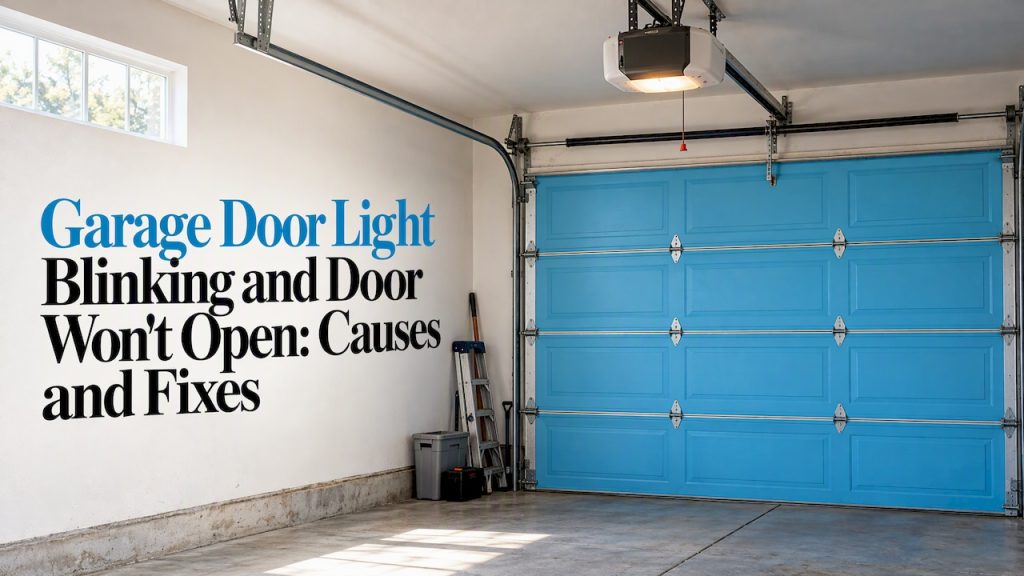
When the light on your garage door opener blinks and the door refuses to move, the opener is telling you something specific. Most of the time it is one of two things: the safety sensors near the floor are misaligned or blocked, or the LOCK feature on the wall control is switched on. Both are quick to check, and this guide walks you through them in the right order, explains what the blink counts mean, and tells you where a DIY check should stop.
TL;DR
- Start with the safety sensors on both sides of the door, about a few inches off the floor. Clear anything in the way, wipe the lenses, and realign until both indicator LEDs glow steadily.
- If the light flashes twice, the LOCK button on the wall control is likely on. Press it to turn the feature off.
- The number of flashes is a code. Count them, because the number points to the fault.
- Wiring faults, backward travel limits and anything involving springs or cables call for a trained technician.
- In Massachusetts or Connecticut, we offer same-day and 24/7 garage door repair when a quick check does not solve it.
Table of Contents
- What the blinking light is telling you
- Blink codes at a glance
- Step 1: Check the safety sensors
- Step 2: Check whether lock mode is on
- Step 3: Try a reset and a power cycle
- Step 4: Look at wiring and travel limits
- Quick troubleshooting order
- When to stop and call a technician
- Perspective: why we start with the whole system
- Get it fixed the same day
- FAQ
- Sources
What the blinking light is telling you
A blinking opener light is not random. Modern openers run a self-check every time you press the button. If something fails that check, the opener refuses to close the door and flashes the lamp, or an LED near the Learn button, to say why. The manufacturer’s own support page says that when the lights flash and the door will not close, the cause could be a safety reversing sensor issue or the LOCK button.
That gives you a useful rule: the opener is usually protecting you, not failing. A door that will not close with a blinking light is often a door that detected something it considers unsafe, or one that has been told to ignore remotes.
Two details help you read it correctly:
- Which light is blinking. The bulb on the opener head may flash, and there is also a small LED near the Learn button on the motor unit. Some models also flash the wall control.
- How many times it blinks, then pauses. Chamberlain and LiftMaster diagnostic codes are found by counting the flashes of the LED near the Learn button, which pauses before it repeats. Count a full cycle two or three times so you do not miscount.
Blink codes at a glance
Codes vary by brand and even by model, so treat this as a starting map and confirm in your opener’s manual (the model number is on the motor unit).
| What you see | Likely meaning | First thing to do |
|---|---|---|
| Light flashes 2 times when you press a remote | LOCK button on the wall control is on | Press LOCK on the wall control to turn it off |
| 10 flashes (Chamberlain/LiftMaster) | Safety sensor issue | Clean, clear and realign both sensors |
| Continuous blinking, door won’t close | Sensor problem or lock feature | Check sensor LEDs, then LOCK |
| 3 blinks (Genie) | Travel limits may be set backwards | Clear and reprogram limits (see below) |
| 6 blinks (Genie) | Wall console wiring issue | Inspect wires for shorts, pinches or damage |
The Chamberlain and LiftMaster entries come from the manufacturer’s guidance that 10 flashes indicate a safety sensor issue while two flashes mean the LOCK button is on. The Genie entries come from Genie’s own guides: 3 blinks may mean the travel limits are set backwards, and 6 blinks may point to a wall console problem such as shorted, pinched or damaged wires.
Step 1: Check the safety sensors
Safety sensors are the most common reason for a blinking light and a door that will not close. Federal safety rules require them on residential openers, and they work like this: one unit sends an invisible beam across the doorway, the other receives it. If the beam is broken, the door will not close.
Do this first, in order:
- Look at both sensors. They sit on either side of the door, near the floor. Each has a small LED.
- Read the LEDs. On many openers, a steady glow on both means the beam is good. A dim, flickering or dark LED means a problem.
- Clear the path. A box, a bag of salt, a bike wheel or a pet bowl can break the beam. So can a cobweb across the lens.
- Wipe the lenses. Use a soft dry cloth. Dust and condensation are enough to confuse the beam.
- Realign. Loosen the wing nut or bracket slightly and nudge the sensor until its LED glows steadily. The manufacturer’s instruction is to align the sensors until their LEDs glow steadily, then tighten the bracket without moving it.
- Try the door again. Press the wall control, not the remote, for this test.
A common mistake is bumping one sensor while fixing the other. If one LED is steady and the other is not, move only the one that is not.
When the sensors keep losing alignment
Brackets get knocked by lawn equipment, car bumpers and kids. If a sensor sits on a bracket that wobbles, fix the bracket before you fine-tune the angle. A sensor mounted on a loose wall or a bent bracket will drift again within days.
Sunlight is another culprit people overlook. Direct sun shining into the receiving sensor, often the one with the green LED, can mimic an obstruction and interfere with the beam. If your door fails at the same time of day, usually low morning or evening sun, that is a clue. Shade the lens with a short cardboard tube or a purpose-made sun shield, and see whether the problem goes away.
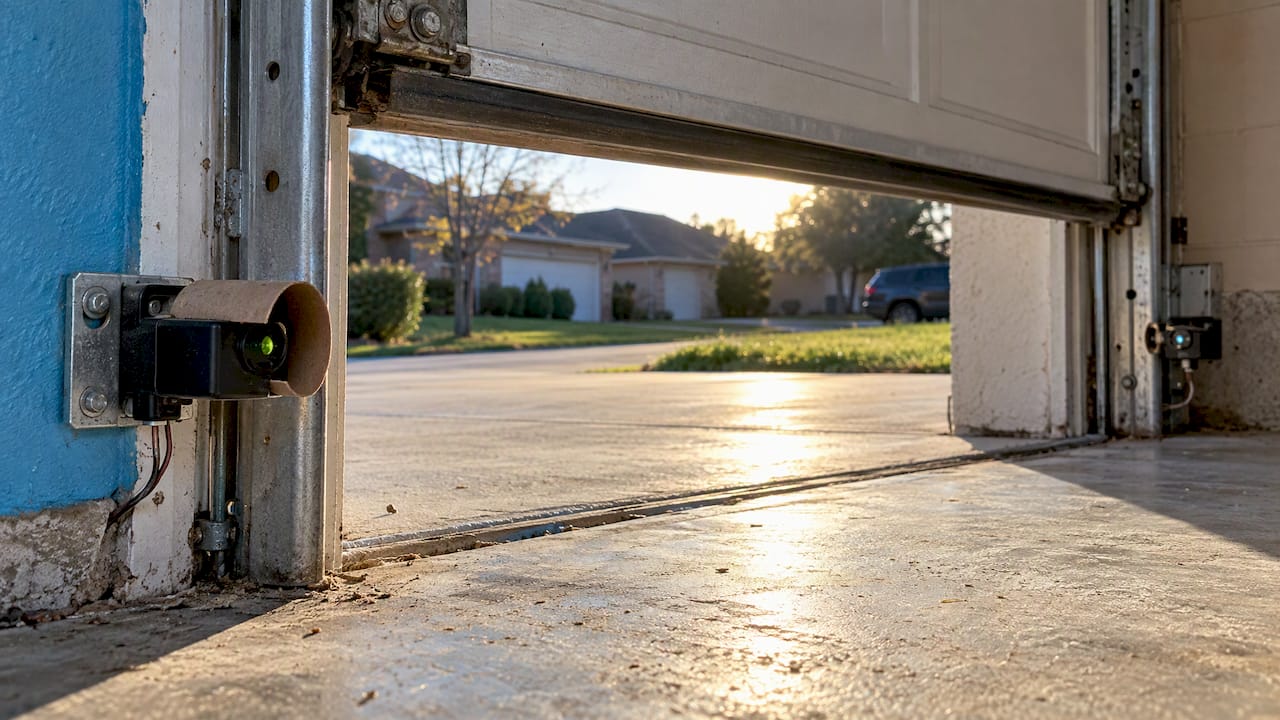
On Genie openers, the sensor system is called Safe-T-Beam. Genie’s guidance is to check it for beam obstruction or misaligned lenses, and it adds that when an operational problem exists the opener will not run closed.
Step 2: Check whether lock mode is on
If the opener light flashes two times when you press a remote and the door does nothing, look at the wall control. Chamberlain’s diagnostic chart states that two flashes mean the LOCK button on the door control is on. In lock mode, the opener ignores remotes and keypads, and only the wall control works.
This happens more than you would think:
- Someone pressed and held the LOCK button while cleaning or bumped it.
- A child pressed it.
- You switched it on before a trip and forgot.
The fix is simple. Press the LOCK button on the wall control to turn the feature off. Chamberlain’s support page confirms the lights flashing twice means the LOCK feature is on and pressing the button turns it off. Test with a remote. If the door now responds, you are done.
Lock mode is a real security feature, and it is worth using on purpose. If you are thinking about how secure your garage is overall, this garage door security guide covers the wider picture.
Step 3: Try a reset and a power cycle
If the sensors look fine and lock mode is off, a simple power reset clears many temporary glitches:
- Unplug the opener from the ceiling outlet, or switch off its circuit breaker.
- Wait about 30 seconds.
- Plug it back in and test with the wall control.
This does not erase your remotes or travel settings on most models. Do not hold the Learn button down unless you mean to, because that can erase programmed remotes and keypads and you will have to reprogram them.
If the remote alone fails while the wall control works, replace the remote battery first. Then reprogram the remote to the opener using your manual. Our team handles this regularly through keypad and remote service if you would rather not do it yourself.
What about cold weather?
New England winters are hard on garage doors. Cold can stiffen lubricants, make the door heavier to move and put extra strain on the opener, and condensation or frost can fog sensor lenses. None of that is a reason to ignore a blink code, though. Run through the sensor and lock checks first, and if the door moves slowly or strains, that points to hardware, not just the opener. Our guide on preparing your garage door for a New England winter covers what to do before the cold sets in.
Step 4: Look at wiring and travel limits
If the sensor LEDs will not glow steadily after you have cleaned and realigned, the fault may be in the wires. Chamberlain’s chart says that when the sensor indicator lights do not glow steadily you should check for wire shorts such as staples through the wire, reversed polarity of the black and white wires, or disconnected wires.
Walk the sensor wires from each sensor up the wall and along the ceiling to the opener. You are looking for:
- A staple or nail that has pierced the insulation.
- A pinched wire where the door track or bracket sits.
- A wire pulled off a terminal at the sensor or at the motor unit.
- A chewed section (mice love garages).
If you find a visible break, do not splice it with tape and hope. Wires that carry low voltage are safer than line power, but unplug the opener before you touch anything.
Travel limits are the other setting to know about. They tell the opener where the fully open and fully closed positions are. On Genie openers, 3 blinks may indicate that the limits are set backwards and need to be cleared and reprogrammed. Follow the exact steps in your manual, since procedures differ between models.
One manufacturer tip is worth keeping in your back pocket: on some Genie openers you can hold the wall console button down until the door is completely shut to force it closed. Use this only as a short-term way to secure the house while you wait for a repair, and stay in view of the door while it moves.
Quick troubleshooting order
| Step | Check | Time |
|---|---|---|
| 1 | Obstructions and dirty lenses at both sensors | 2 minutes |
| 2 | Sensor LEDs steady after realigning | 5 minutes |
| 3 | LOCK button on the wall control | 1 minute |
| 4 | Remote battery, power cycle | 5 minutes |
| 5 | Sensor wiring, travel limits | 15 to 30 minutes |
| 6 | Still blinking? Stop and call |
When to stop and call a technician
A blinking light that survives all of the above is a sign the problem is beyond a quick homeowner check. Call a trained technician when:
- The sensor LEDs will not light at all, even after you have checked the wires.
- You see damaged, frayed or cut wiring you are not comfortable handling.
- The blink code points to the logic board, a motor issue or a gear problem.
- The door is crooked, sagging, noisy, jerky or hangs when you lift it by hand.
- You can see a broken spring, a frayed cable or a door off its track.
That last point is a hard line. Genie’s guidance says to contact an authorized dealer or trained door technician if you suspect a problem with the door hardware or springs. A Genie owner’s manual also warns that high-tension springs and electric motors carry severe safety risks. Never loosen spring bolts, cable brackets or the bottom bracket yourself. Those parts hold the door’s weight under tension.
A useful test: disconnect the opener from the door using the red emergency release cord, then lift the door by hand. It should move smoothly and stay half open without drifting. If it feels very heavy or slams down, the counterbalance springs are likely worn or broken, and the blinking light is a side effect, not the root cause. If so, leave the door closed and call for broken spring repair.
Perspective: why we start with the whole system
When a customer calls about a blinking light, we do not assume the opener is the problem. A door is a system: springs, cables, rollers, tracks, sensors and a motor, all working together. An opener that flashes is often reacting to something else going wrong.
That is why our technicians check the sensors and wiring first, then the door’s balance, then the opener itself. It keeps the repair honest and avoids replacing parts you do not need. As a family-owned company, we would rather explain what we found, in plain language, than hand you a surprise.
We also treat safety as the first rule. Sensors exist to protect kids and pets, and springs can injure anyone who tries to handle them. If a blinking light leads back to hardware, we want you to leave the heavy work to people who do it every day, and we back that up with same-day service and 24/7 emergency availability across Massachusetts and Connecticut.
the author
Get it fixed the same day
If you have worked through the sensor, lock and reset checks and the light is still blinking, we can take it from here. Speedy Garage Door Services repairs and installs openers, sensors, keypads, remotes, receivers and gears, and we also repair springs, cables, rollers and tracks for homes and businesses in Massachusetts and Connecticut.
Start with our opener repair and installation page to see what we handle, or go straight to 24/7 emergency repair if your car is stuck inside or the door will not secure. We serve towns including Chicopee, Agawam and Longmeadow. If your opener is old and fails repeatedly, we can also talk through replacement. Regular door maintenance helps catch sensor drift, worn rollers and tired springs before they turn into a stuck door.
FAQ
Why does my garage door light blink 10 times?
On Chamberlain and LiftMaster openers, 10 flashes indicate a safety sensor issue. Clean both lenses, clear the doorway and realign until both sensor LEDs glow steadily. If that fails, check the sensor wires for shorts or loose connections.
Why does the light flash twice when I press the remote?
Two flashes mean the LOCK feature on the wall control is on, so the opener ignores remotes. Press the LOCK button on the wall control to turn it off. Then test the remote again.
Can I still open the door if the light is blinking?
Often yes, by hand. Pull the red emergency release cord to disconnect the door from the opener, then lift it manually. If it feels very heavy or will not stay up, a spring may be broken, so do not force it. Call a technician instead.
How do I reset a garage door opener?
Start with a power cycle: unplug the opener or flip its breaker, wait about 30 seconds, then restore power. Avoid holding the Learn button unless you intend to erase and reprogram remotes. Your manual lists the exact reset and limit-setting steps for your model.
Should I replace the opener if the light keeps blinking?
Not necessarily. Many blink codes come from misaligned sensors, damaged wire or door hardware, not a dead motor. A technician can tell you whether the opener, the sensors or the door itself is the real problem before you spend on a new unit.
Sources
- Garage Door Opener Light Blinks but The Door Won’t Close
- 2500B, 2500D, 3500 and 3850 Diagnostic Code Chart
- Genie Garage Door Opener Troubleshooting Guide
- Genie Excelerator Series Self-Diagnostic Troubleshooting
- Genie Intellicode screw, belt and chain drive manual
- Why Secure Garage Doors: A Homeowner’s Safety Guide